
A partial fill happens when only some of the contracts in a futures order have traded. For example, if you place a limit order to sell five and only two contracts can be matched at your price or better, those two can fill while the other three wait. Check the order status to see whether the remainder is still working. NinjaTrader’s guide to futures orders.
You were long five contracts. Your take-profit order sold one, and the broker now shows four still open. Look up the exit order ID and read its submitted quantity, filled quantity and status. If the target was for one, it may have done exactly what you asked. If it was for five, you need to know what happened to the other four on that order.

Partial fill vs partial exit
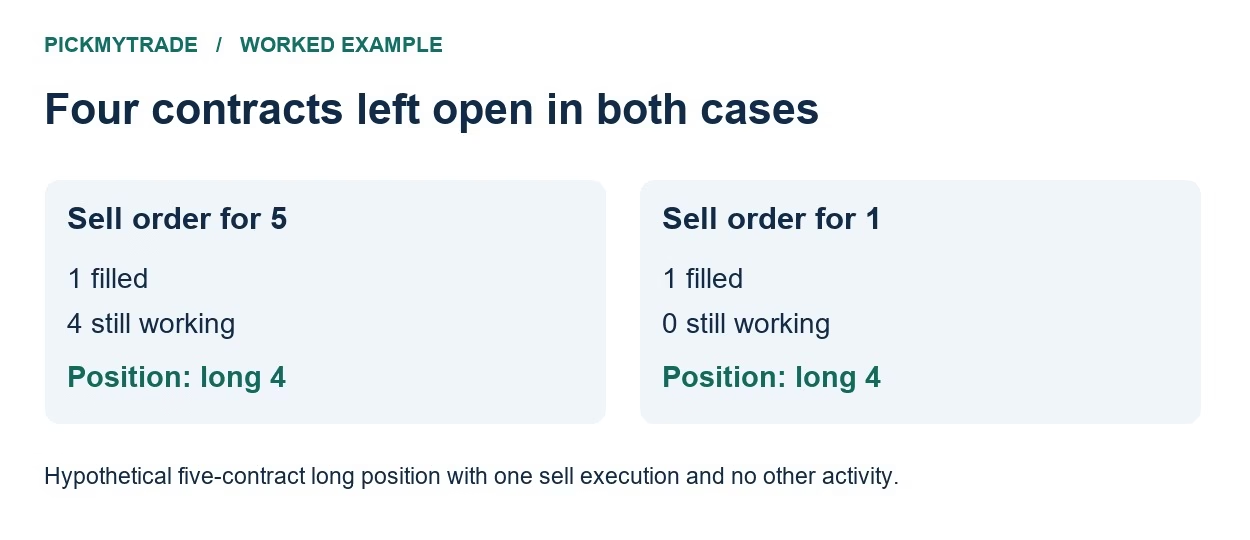
A partial fill means some of the quantity on an order has executed. A partial exit means a trade has reduced an existing position while leaving some of it open. One execution can do both. Suppose you hold five contracts in one account and expiry, and no other orders execute while you check:
| Sell target submitted | Executed | Order status at the time of the check | Position after execution |
|---|---|---|---|
| Five contracts | 1 | Partially filled, four still working | Long 4 |
| One contract | 1 | Filled, zero remaining on this order | Long 4 |
The position screen looks the same in both cases. The order ID tells you whether another four contracts can still sell under that instruction. Sending a second sell order while the first remains active could sell more than you hold. A four-contract difference between the original order quantity and the filled quantity also needs a status check. A cancellation can leave four unfilled with nothing working.
Where to check the order quantity in NinjaTrader
Open Control Center → Orders. Select the account and the exact contract month you traded. Find the target that produced the one-contract sale, then read Quantity, Filled, Remaining and State on that row. Keep the order ID with those figures. A chart marker stamped at the target price can’t show how many contracts the target was originally for. NinjaTrader Orders tab
If the state is Cancel pending, wait for the broker’s confirmation before treating the order as canceled. A further execution can arrive while a cancellation is in progress. Refresh the order record and the position together if either changes during your review. NinjaTrader order states
How many futures contracts are still open?
Start from a known broker position, then add executed buys and subtract executed sells in time order. An order appearing or changing status only changes the count if an execution accompanies it. Here is a hypothetical sequence starting flat:
| Time | Broker event | Net position |
|---|---|---|
| 09:31:00 | Buy order fills three contracts | Long 3 |
| 09:31:02 | Two more buy contracts fill | Long 5 |
| 09:34:10 | Take profit sells one contract | Long 4 |
| 09:34:11 | Order status update, no new execution | Long 4 |
Compare the final count with the broker’s position for that account and expiry. If it differs, widen the time range and include trades entered manually or through another interface. On a short position, the same signed arithmetic works. Starting at −5 and buying one back leaves −4.
Was the first profit target set to one contract?
Check the target quantities saved when you placed the entry. A five-contract entry can have a one-contract first target and a four-contract second target. If the first target fills, selling one contract is the configured result. In NinjaTrader’s server-side ATM setup, an entry can start the bracket on a partial fill, and each target has its own quantity setting. Compare the template with the orders the platform actually created. NinjaTrader server-side ATM strategies
Next, look at the stop and target orders for the remaining four. A four-contract stop and a four-contract target can be alternative exits linked by a one-cancels-other instruction. Two independent sell orders can behave differently. Check the linkage and quantities on the broker before assuming a manual reduction resized the stop. How to check OCO brackets in TopstepX
What to send support if the quantities still disagree
Include the contract month, entry and exit order IDs, the submitted and filled quantities, execution timestamps with timezone, and the position the broker showed immediately afterward. If you scaled out manually or used automation, indicate which exit you submitted yourself. The most useful question is specific: “Order A sold one at 09:34. Was the remaining quantity on that order still working, and which order protected my four open contracts?”
Connect your alerts with PickMyTrade — automated trade execution, no coding required. Start free →