
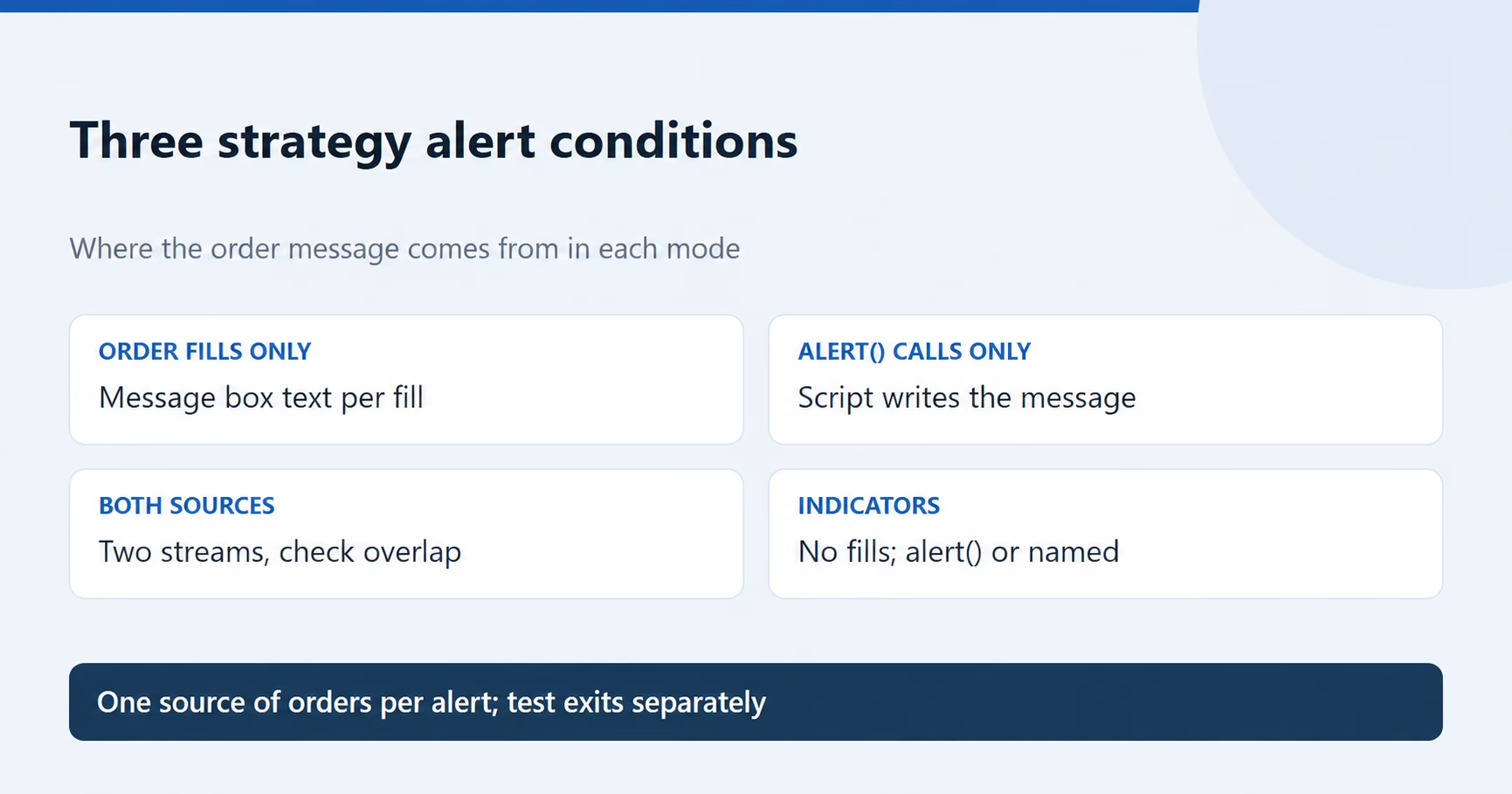
The order fills only vs alert() function calls choice depends on where your order message lives. For a strategy, paste generated alert code into the TradingView Message box? Choose Order fills only. Does the strategy build the full order message inside its own alert() calls? Choose alert() function calls only. Select both only when one stream carries no orders.
Table of Contents
- What do the three TradingView strategy alert conditions do?
- Order fills only vs alert() function calls: which does automation need?
- When is alert() function calls only the right choice?
- When does a strategy or indicator alert actually fire?
- Why a TradingView strategy alert fires twice: five setups that double trades
- Why is the TradingView strategy exit alert not firing?
- How should strategy.order.alert_message be set for exits?
- Who should own the exit: your strategy or the broker?
- What if the exit was sent but the position stayed open?
- How do you test the setup before trading live?
- Does any of this change on a prop firm account?
- Frequently asked questions
Reviewed against current documentation on 26 October 2026.
What do the three TradingView strategy alert conditions do?
When a strategy contains at least one alert() call, TradingView’s Help Center offers three triggers: order fills and alert() calls together, order fills only (“acting like a standard strategy alert”), or alert() calls only (“acting just like a script alert on a standard indicator”). A strategy with no alert() call simply sends order-fill alerts.
| Condition | Fires when | Message sent |
|---|---|---|
| Order fills only | A simulated strategy order fills in real time | Your Message box text, with placeholders such as {{strategy.order.action}} filled in |
| alert() function calls only | The code reaches an alert() call | The string the script passes to alert(); the Message box is not used |
| Order fills and alert() function calls | Either of the above | Both, as separate messages |
Three details from TradingView’s Pine Script documentation explain most setup mistakes. TradingView’s alerts FAQ explains that alert() does not substitute placeholders, so {{strategy.order.action}} inside an alert() string arrives as literal text. alertcondition() in a strategy compiles, but “alerts cannot be created from them.” And alerts fire only on real-time bars. Indicators have no order fills, and PickMyTrade’s placeholder reference notes that strategy placeholders arrive as literal text in an indicator alert.
Order fills only vs alert() function calls: which does automation need?
Find the row that matches how your script and alert are built.
| Your setup | Pick | Why |
|---|---|---|
| Strategy with generated alert code in the Message box | Order fills only | One message per eligible fill, entries and exits alike, unless that order’s alert is explicitly disabled |
| Strategy that sets alert_message on its order calls, with {{strategy.order.alert_message}} in the Message box | Order fills only | Custom text per order; every intended actionable fill needs a usable message |
| Strategy, often a vendor script, that builds the order message inside alert() calls | alert() function calls only | The script is the only order source |
| Indicator | Its named condition or “Any alert() function call” | Indicators have no order fills |
| Strategy that trades from fills and uses alert() for chat notices | Two alerts, each to its own webhook | Keeps notices out of the order stream |
For PickMyTrade’s TradingView-to-Tradovate route, the alert setup guide says “Order fills only” should be selected for trading automation, with code from the Generate Alert page. For other supported brokers, use the code generated for that connection and its broker guide on docs.pickmytrade.io. TradingView’s strategy documentation adds that order-fill alerts “execute immediately, regardless of the script’s execution settings,” and are “often more suitable” for third-party automation.
When is alert() function calls only the right choice?
When the script was written to send orders through alert(). Many commercial strategies work this way, and the Message box disappears because the alert() calls control the message, not the dialog. That causes a common mistake: a trader sees nowhere to paste code, switches to the combined option to get the box back, and now has two order streams.
With a vendor script, ask one question: “For this version, which condition should I use, and what message does it send for an entry, a full exit and a reversal?” If the answer doesn’t match your receiving format, the setup isn’t ready. Use the broker-specific PickMyTrade setup guide to validate that format before testing.
When does a strategy or indicator alert actually fire?
| Alert type | When it fires (default settings) |
|---|---|
| Order-fill alert, market order | At the broker-emulator fill, normally the next available tick after creation; with default bar-close calculation, usually the next bar open |
| Order-fill alert, stop or limit order | When the broker emulator fills the price-based order under its fill rules, potentially within a bar; gaps and order type matter |
| Strategy alert() call | At a real-time bar close by default. Recalculation settings and alert() frequency jointly control other timing |
| Indicator alert | At the chosen frequency; Once Per Bar can fire before the bar is confirmed |
Illustrative example: a default strategy creates a market order after a five-minute bar closes at 10:05 a.m. ET. The emulator normally fills it on the next available tick. An alert() exit based on a later position check may run at another calculation. These are simulated strategy events: the actual broker receives a new instruction afterward, and its fill can differ. See TradingView’s broker-emulator and calculation rules.
For indicator buy and sell markers, TradingView calls bar-close triggering “the simplest way” to avoid alerts from signals that later vanish. Ask the author which frequency they intend.
Why a TradingView strategy alert fires twice: five setups that double trades
The following configurations can create extra orders. Diagnose the messages and broker history before changing settings.
1. Both conditions, orders on both sides. If a strategy enters with strategy.entry() and also calls alert() with an order message, the combined option can send two actionable messages. A planned one-contract entry may become two contracts. This can double exposure before fees and slippage. Use one intended order source per alert and verify the resulting broker position.
2. Two live alerts. Each strategy alert runs on “a copy of the strategy” on TradingView’s servers (Strategy Alerts). Create a new alert after an edit, forget the old one, and both fire. Count the alerts pointed at your webhook for that strategy and symbol. Another strategy trading the same symbol on the same account can look like a duplicate too.
3. Intrabar recalculation and stacked exits. Every-tick recalculation “may result in additional orders” absent from historical bars (alert and chart mismatches). Leave “On realtime bar tick” and “On order fill” off unless the strategy needs them. Several strategy.exit() calls at one stop level also create “multiple order alerts” (strategy FAQ).
4. Resends and manual retries. On a 5xx response other than 504, TradingView resends, so “the maximum number of webhook sends for one trigger can be 4” (Webhook resubmission). Check the Webhook status column, and check broker history before replaying an alert by hand.
5. Reversals, sizing and second routes. By default, an opposite-direction strategy.entry() order adds the current position size to the desired new position size. Reversing from long one contract to short one therefore creates a two-contract simulated sell transaction. A payload using {{strategy.order.contracts}} can carry that transaction size; custom alert() messages and strategy.order() do not automatically inherit this behavior. See TradingView’s reversal rules. If the receiving side also closes the old position separately, the flip can overshoot; keep the generated strategy settings and test a flip in demo. Also check multipliers, duplicate account entries and copiers following an account that also receives the alert directly.
PickMyTrade’s Tradovate docs describe a same_direction_ignore option that ignores same-direction alerts while a position is open. It is a position rule, not duplicate detection, and it also blocks deliberate scale-ins. Find the source first.
Why is the TradingView strategy exit alert not firing?
An entry without a working exit needs prompt investigation. First check the broker position and working orders; then trace how the strategy was supposed to send its exit.
An order fill does not automatically call alert(). TradingView distinguishes broker-emulator fill events from script execution. A strategy that sends an entry through alert() but relies only on strategy.exit() for its exit does not automatically send that fill on an alert() calls-only alert. The script can check position changes on a later calculation, but that is a separate alert path.
| Script does this | Chart | Sent on alert() calls only |
|---|---|---|
| alert() with an entry message on the cross | Long 1 | Entry message |
| strategy.exit() stop fills 40 points lower | Flat | Nothing |
| alert() with a close message once position size returns to 0 | Flat | Close message on a subsequent calculation, if the script and frequency permit it |
Choose and test the exit path: order-fill alerts, an explicitly coded alert() exit, or accepted broker-side protective orders. A position-change check in a default strategy normally runs at bar close; it is not a guarantee of an alert at the simulated stop price or of a matching broker fill.
The alert stopped or runs old code. Check its active status, expiration and runtime errors. Open-ended alert availability depends on the plan and how the alert was created. TradingView stops an alert that triggers more than 15 times in three minutes. Recreate the alert after changing the script or relevant inputs.
How should strategy.order.alert_message be set for exits?
If the Message box contains only {{strategy.order.alert_message}}, the fill can produce an empty message when no applicable custom message is supplied. Check alert_message and, for strategy.exit(), the matching exit-specific override: alert_profit, alert_loss or alert_trailing. Those overrides can provide the message even when alert_message is omitted. TradingView documents these parameters in its May 2022 Pine release notes.
- Provide a usable custom message for every intended actionable fill: alert_message or the applicable exit-specific override.
- Use alert_profit, alert_loss and alert_trailing when target, stop-loss and trailing-stop fills need different text.
- Search for disable_alert = true; that order sends nothing by design.
Who should own the exit: your strategy or the broker?
For the Tradovate route specifically, PickMyTrade’s strategy automation guide asks how exits are handled: No SL/TP (the strategy sends exits), Attach SL/TP to Orders (stop and target attached at entry) or Multiple Exits (the strategy’s own scale-out signals). Its table marks SL/TP as unsupported for the Partial Exit Strategy type.
| Strategy owns the exit | Broker holds the exit | |
|---|---|---|
| Setting | No SL/TP or Multiple Exits | Attach SL/TP to Orders |
| What protects the trade | The next exit alert arriving | Orders already at the broker |
| Weak spot | A lost or empty exit leaves the position unmanaged | Chart exits and real fills drift apart |
| Matching Pine setting | Every exit call sends a message | Suppress a matching fill alert only after independently verifying the broker exit and intended behavior |
TradingView’s strategy FAQ explains that disable_alert=true suppresses a specific fill alert without removing the simulated exit. Use it only when that alert is deliberately unnecessary and the independent exit is confirmed. For pickmytrade.io connections, verify the broker-specific exit features in the current setup guide; do not transfer Tradovate settings to another broker without checking.
What if the exit was sent but the position stayed open?
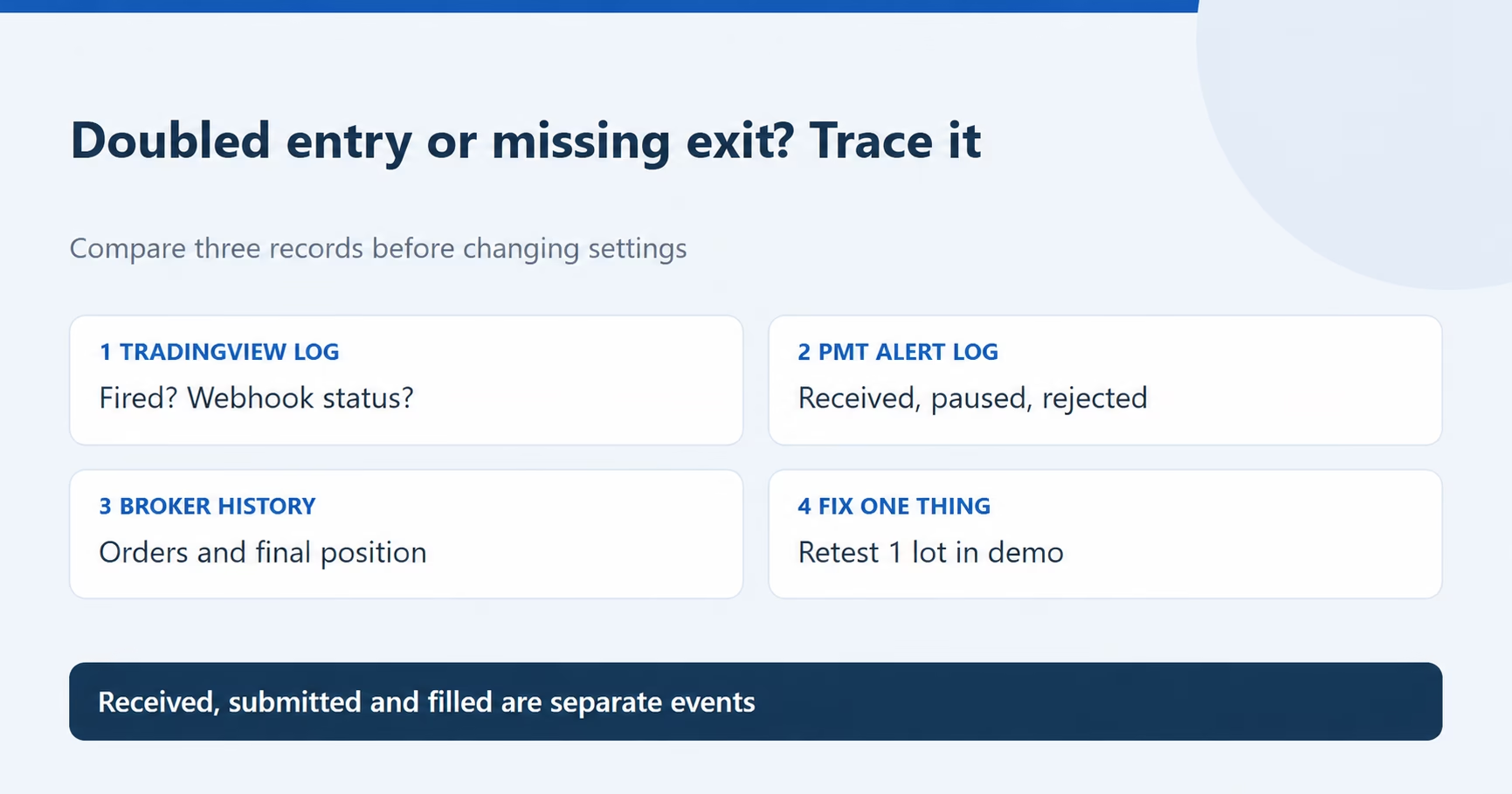
Alert fired, message received, order submitted and order filled are separate events. The PickMyTrade monitoring guide explains how to compare TradingView and PickMyTrade logs. Use broker history to confirm the actual execution.
- Delivery: TradingView cancels a webhook that “takes longer than three seconds” (webhook setup).
- Paused or outside hours: on the Tradovate route, the PickMyTrade FAQ says such alerts are logged as Order Paused and not sent to the broker; with No Close, Trading Time Settings leave positions open after the window.
- Rejected: Order Rejected means the broker refused it; check its order history.
- Contract mapping: confirm the exact contract in the alert, the current mapping and the contract held at the broker. Do not assume a mapping change closes an older contract.
- Size mismatch: after a doubled entry, a 1-lot exit leaves a contract open.
If a platform stops responding altogether, see the Tradovate outage and open-position checklist. Its broker-specific details apply to Tradovate.
How do you test the setup before trading live?
Use a demo account, the smallest supported test size and one change at a time. A backtest is not an end-to-end test.
| Case | Check after |
|---|---|
| Entry from flat | Alert count, received messages, broker order, position |
| Stop or target hit | A non-empty exit message, or the broker bracket working |
| Reversal, if used | Order sequence and final position |
| Script edited | Old alert deleted; which alert fired next |
Doubled trades: count active alerts; check the condition, multiple log events, resends, sizing multipliers, copiers and other tools on the account. Review intrabar calculation settings with the script author instead of disabling settings the strategy requires.
Missing exits: first inspect the broker position and any accepted protective orders. Then confirm that the chosen alert path sends a close, that intended fill messages are non-empty, that the alert is active and current, and that the receiving log does not show a pause or rejection. Follow your account’s documented position-management procedure if protection is absent.
Does any of this change on a prop firm account?
The mechanics don’t, but the cost does: a doubled entry or unmanaged position counts against drawdown limits whoever caused it. A working connection is also not your firm’s permission to automate. Read prop firm automation rules and your current firm’s account rules. If you route strategy alerts to Tradovate through PickMyTrade, start from the setup guide and its generated code, then run the tests above in demo.
Frequently asked questions
Ask the vendor how the script sends orders. If it builds the whole order message inside alert() calls, use alert() function calls only. If it is a strategy and you paste generated code into the Message box, use Order fills only. For an indicator, use its supported named condition or alert() calls instead. Pick both only when one side carries no orders.
One possible cause is an exit that never sends an actionable message. With alert() calls only, strategy.exit() fills do not automatically generate alert() messages. If the Message box contains only {{strategy.order.alert_message}}, an exit can produce an empty message when neither alert_message nor the applicable alert_profit, alert_loss or alert_trailing override supplies text. Also check the broker’s actual position and orders, alert activity, pauses, trading windows and webhook delivery.
It depends on the alert. Order-fill alerts fire when the simulated order fills. A strategy’s alert() calls wait for the bar close by default. Indicator alerts follow the chosen frequency, and Once Per Bar can fire before the bar is confirmed.
In that mode the script’s alert() calls set the message and frequency, not the dialog. If your strategy uses order-fill messages instead, select Order fills only and paste its generated code into the Message box. Indicators have no order-fill option; follow the indicator’s documented alert condition.
No. It adds a second stream of messages; it doesn’t repair a missing exit. If both streams carry orders, one signal can become two orders. Fix the exit path itself, then test it.
Yes. TradingView runs each strategy alert on a saved copy of the script, so delete the old alert and create a new one after changing the script, its inputs or the chart. Otherwise both may keep firing.
Educational information. Check current platform documentation and your account’s rules. Examples are illustrative; execution outcomes are not guaranteed.
Connect your alerts with PickMyTrade — automated trade execution, no coding required. Start free →