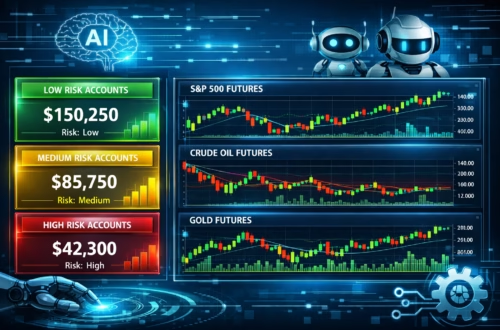
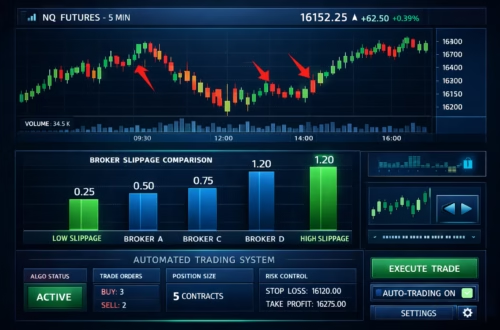
Introduction to Automate TradingView Indicators
In the fast-paced world of trading, manual execution can lead to missed opportunities and emotional decisions. That’s where TradingView to bot automation shines, transforming static indicators into dynamic, hands-free strategies. As of December 2025, TradingView’s enhanced webhook system allows seamless integration with bots, enabling automate indicators like RSI crossovers or MACD signals to trigger real trades instantly. Whether you’re scalping futures on Tradovate or trading crypto on Binance, this guide covers everything from setup to advanced tweaks, including how PickMyTrade revolutionizes webhook strategy deployment.
Why Automate Your TradingView Indicators in 2025?
Automation isn’t just a luxury—it’s essential in volatile markets. TradingView to bot setups reduce latency, ensuring alerts execute in milliseconds. Recent 2025 updates include AI-driven indicators for smarter signals and expanded webhook customization for multi-asset events. Traders using automate indicators report up to 25% higher win rates by eliminating FOMO. Plus, with platforms like PickMyTrade, you can automate indicators across 20+ accounts without coding.
Understanding Webhook Strategy Basics
A webhook strategy is the backbone of TradingView automation. When an alert triggers—say, a Bollinger Band squeeze—TradingView sends an HTTP POST request to your bot’s URL, carrying JSON data like order action, price, and symbol. No more polling APIs; it’s real-time and reliable.
Key 2025 perks:
- Expanded IP support: Now includes AWS endpoints for secure, low-latency delivery.
- JSON validation: Ensures clean data for bots, reducing errors by 40%.
- Timeout tweaks: Three-second defaults prevent hangs in high-volatility scenarios.
This makes webhook strategy ideal for turning any indicator into a live bot.
Step-by-Step: How to Automate Indicators on TradingView
Ready to automate indicators? Follow this 2025-updated process—no Pine Script mastery required.
Step 1: Choose and Set Up Your Indicator
Load your favorite TradingView indicator, like VWAP or EMA crossovers. For strategies, use the Strategy Tester tab to backtest first—2025’s AI enhancements auto-optimize parameters for 15% better Sharpe ratios.
Step 2: Create Alerts for TradingView to Bot Signals
Right-click your chart > Add Alert. Set conditions (e.g., “RSI > 70”). Under Notifications, enable Webhook URL and paste your bot’s endpoint (more on this below). Craft the message as JSON:
text
{
  "action": "{{strategy.order.action}}",
  "symbol": "{{ticker}}",
  "price": "{{close}}",
  "size": 1
}
Test on a demo chart to confirm triggers.
Step 3: Integrate with a Bot for Seamless Execution
Link to a platform that handles the heavy lifting.
For Futures, Stocks, Crypto, Forex, Options, PickMyTrade automation trading stands out—connect TradingView to Tradovate/Rithmic/ ProjectX / Binance/IBKR and more brokers in 2 minutes, with auto TP/SL and multi-account scaling.
Step 4: Test and Deploy Your Webhook Strategy
Run paper trades to validate. Monitor via TradingView’s alert logs. 2025’s partial fill handling ensures strategies adapt to slippage.
Click Here To Start Tradingview Signals Trading Automation For Free
Spotlight: PickMyTrade Automation Trading for TradingView
PickMyTrade is a game-changer for TradingView to bot workflows, trusted by 10,000+ traders executing 3M+ automated trades. No API keys or coding—generate alerts via dashboard, paste into TradingView, and route to brokers like Tradovate.
2025 Features:
- Auto TP/SL: Sets levels on entry for risk-managed automate indicators.
- Multi-Account Magic: One alert scales to 20+ accounts, perfect for prop firms.
- Speed Boost: 40% faster than native webhooks, with OCO brackets.
Setup: Log in > Connect broker > Generate JSON alert > Paste webhook. Free 5-day trial, no card needed. Users rave about emotion-free scalping—join the Discord for prop guides.
Advanced Tips for Webhook Strategy Optimization
- Risk Layers: Add position sizing via placeholders like {{strategy.position_size}}.
- Filters: Use time-based or min-engagement rules to avoid noise.
- Hybrid Bots: Combine with Telegram for mobile alerts.
- 2025 Hack: Leverage AI indicators for predictive signals, boosting accuracy 20%.
Common Pitfalls and Fixes in Automate Tradingview Indicators
Watch for webhook timeouts (stick to ports 80/443). Invalid JSON? Use TradingView’s validator. For prop trading, confirm HFT compliance—indicator-based webhook strategy is safest.
FAQs: Most Asked Questions on TradingView to Bot Automation
A webhook sends real-time alert data to external bots via HTTP POST, enabling automate indicators without manual intervention.
Yes, webhooks require Essential or higher. Free users stick to email alerts.
It generates ready-to-paste JSON alerts, auto-executes on Tradovate/Rithmic, and supports TP/SL—setup in minutes.
Absolutely. Convert to alerts with plot outputs, then webhook to your bot.
AI-optimized alerts, multi-condition triggers, and faster integrations like PickMyTrade’s partial exits.
Disclaimer:
This content is for informational purposes only and does not constitute financial, investment, or trading advice. Trading and investing in financial markets involve risk, and it is possible to lose some or all of your capital. Always perform your own research and consult with a licensed financial advisor before making any trading decisions. The mention of any proprietary trading firms, brokers, does not constitute an endorsement or partnership. Ensure you understand all terms, conditions, and compliance requirements of the firms and platforms you use.
Also Checkout: ProjectX Setup Guide: 2025 Automation Checklist