In today’s fast-paced markets, webhook automation turns TradingView alerts into powerful trading alerts that execute trades automatically. This eliminates manual monitoring and emotional decisions, allowing your strategies to run 24/7.
As of December 2025, TradingView continues to enhance webhook security with OAuth 2.0 standards and sub-100ms latency on premium plans. Webhooks remain a core feature for webhook automation, sending HTTP POST requests with JSON payloads to external services when alerts trigger.
This guide covers everything you need for effective webhook automation of trading alerts, including recent updates and top platforms.

What Is Webhook Automation for Trading Alerts?
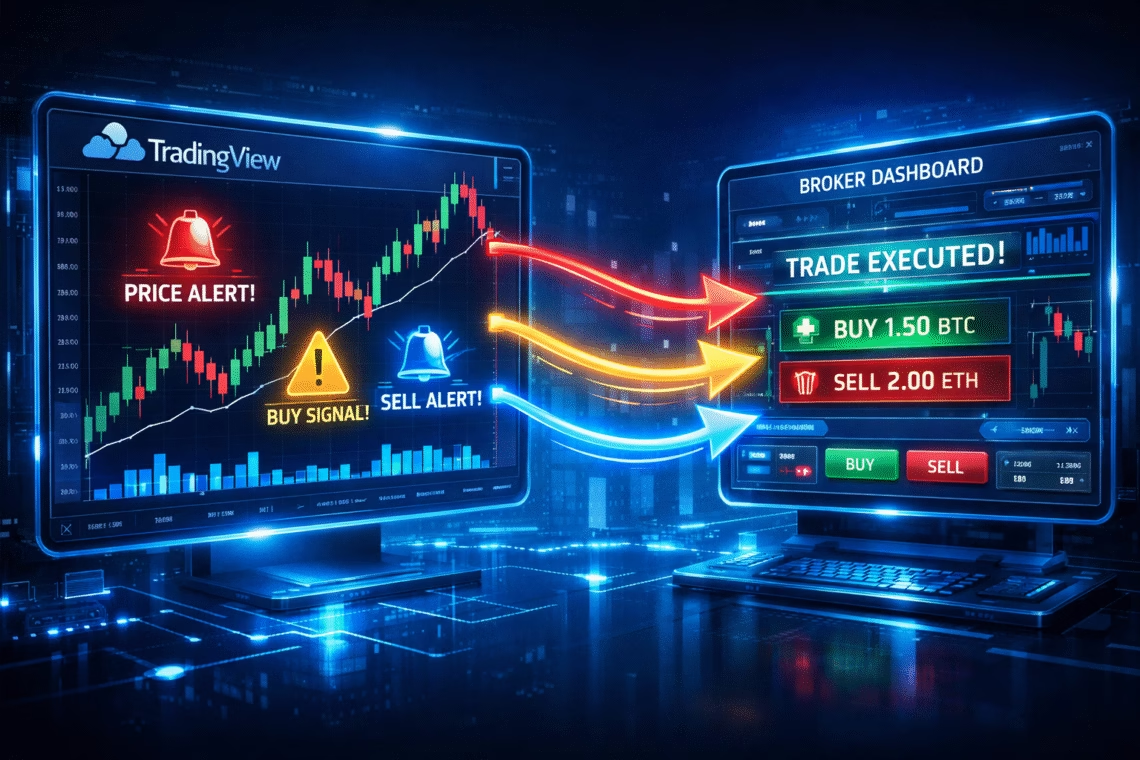
Webhook automation connects TradingView alerts to external platforms, brokers, or bots. When an alert fires—based on price levels, indicators, or Pine Script strategies—TradingView sends a POST request to your webhook URL.
The payload is typically JSON, including details like symbol, action (buy/sell), and custom data. This enables instant trading alerts execution without manual intervention.
Recent 2025 updates include improved alert reliability, multi-condition triggers, and better integration with third-party services.
Why Automate TradingView Alerts with Webhooks?
- Speed — Execute trades in milliseconds during volatile markets.
- Consistency — Remove emotion and ensure strategy adherence.
- Scalability — Manage multiple accounts or assets simultaneously.
- 24/7 Operation — Trade while you sleep or focus on analysis.
Platforms like PickMyTrade excel in webhook automation, offering no-code setups for futures and stocks.

Click Here To Start Trading Automation For Free
Step-by-Step: Setting Up Webhook Automation for Trading Alerts
- Prepare Your TradingView Alert
- Open your chart and add a strategy or indicator.
- Click the Alert button (bell icon).
- Set conditions (e.g., crossover, price level).
- In Notifications, check “Webhook URL”.
- Format the Message Payload
- Use valid JSON for proper parsing.
- Example basic payload:text
{ "action": "buy", "symbol": "{{ticker}}", "quantity": 1 } - Include placeholders like {{close}}, {{strategy.order.action}} for dynamic data.
- Get Your Webhook URL
- Sign up for an automation platform (pickmytrade.io).
- Generate a webhook URL in their dashboard.
- Paste and Create the Alert
- Enter the webhook URL.
- Paste your JSON message.
- Set to “Once Per Bar Close” to avoid duplicates.
- Enable 2FA for security—required for webhooks.
- Test Thoroughly
- Use paper/demo accounts first.
- Trigger test alerts to verify execution.
Best Platforms for Webhook Automation in 2025
Several services bridge TradingView to brokers via webhook automation:
- PickMyTrade → Top choice for futures traders. Connects seamlessly to Tradovate, Rithmic, Interactive Brokers, TradeStation, and more. Features no-code alert generation, multi-account execution, advanced SL/TP (including trailing), and millisecond precision. Ideal for trading alerts automation without JSON hassle. Over 3 million trades executed reliably.
- TradersPost — Great for stocks, options, and crypto; supports multiple brokers.
- Capitalise.ai — No-code strategy builder with direct webhook triggers.
- 3Commas/Altrady — Strong for crypto bots.
For reliable webhook automation of trading alerts in futures, PickMyTrade stands out with its user-friendly dashboard and robust risk controls.
Advanced Tips for Webhook Automation
- Use “Once Per Bar Close” to prevent repetitive alerts.
- Add risk management in payloads (e.g., fixed % risk).
- Monitor logs for failed deliveries.
- Combine with multi-timeframe strategies for better signals.
With 2025’s low-latency enhancements, webhook automation delivers near-instant trading alerts execution.
Conclusion: Start Your Trading Automation Today
Automating TradingView webhooks transforms passive alerts into active trading alerts that drive profits. Platforms like PickMyTrade make it accessible—even for beginners—with quick setups and professional-grade execution.
Ready to go hands-free? Test webhook automation on a demo account and experience the difference.
Frequently Asked Questions (FAQs)
Yes, webhooks require Essential or higher (starts ~$15/month). Basic plans can use email-to-webhook workarounds.
Absolutely—when using reputable platforms. Enable 2FA, avoid sharing secrets in payloads, and start with demo accounts.
Yes, any Pine Script strategy or indicator with alert conditions works. Platforms like PickMyTrade auto-generate compatible alerts.
Top platforms achieve <100ms from alert to order in 2025, depending on broker and plan.
Yes—one dashboard routes trading alerts to 20+ accounts simultaneously, perfect for prop firms or scaling.
Disclaimer:
This content is for informational purposes only and does not constitute financial, investment, or trading advice. Trading and investing in financial markets involve risk, and it is possible to lose some or all of your capital. Always perform your own research and consult with a licensed financial advisor before making any trading decisions. The mention of any proprietary trading firms, brokers, does not constitute an endorsement or partnership. Ensure you understand all terms, conditions, and compliance requirements of the firms and platforms you use.
Also Checkout: TradingView Paper Trading: Fix Issues & Master Simulations