In today’s fast-paced markets, TradingView alerts automation has become essential for traders seeking consistency, speed, and reduced emotional interference. As of early 2026, TradingView continues to enhance its alert system with features like volume footprint alerts, rectangle drawing triggers, watchlist-wide scanning, and improved webhook security—making it easier than ever to turn signals into automated executions.
This comprehensive guide explores the latest updates, step-by-step setup, top tools, and best practices for TradingView alerts automation. Whether you’re trading futures, forex, stocks, or crypto, automating alerts eliminates manual delays and captures opportunities 24/7.
What Is TradingView Alerts Automation and Why It Matters in 2026
TradingView alerts automation refers to configuring TradingView’s built-in alerts—based on price levels, indicators, drawings, or Pine Script strategies—to trigger actions beyond notifications. Using webhooks (HTTP POST requests), alerts send JSON payloads to external services that execute trades on connected brokers or exchanges.
Recent 2025-2026 updates have boosted this capability:
- Volume footprint and imbalance alerts for order flow trading.
- Rectangle and advanced drawing triggers.
- Refined watchlist alerts for portfolio scanning.
- Enhanced webhook reliability with mandatory 2FA and millisecond execution via third-party bridges.
Traders report up to 25% fewer false signals and better consistency in volatile markets like crypto surges or index futures. Automation removes screen-time dependency, enabling scalable strategies without constant monitoring.
How TradingView Alerts Work: The Foundation of Automation
TradingView alerts trigger on:
- Price crossing thresholds.
- Indicator conditions (e.g., RSI > 70).
- Drawing tools (trendlines, horizontals, rectangles).
- Pine Script strategy outputs via alertcondition().
Notifications include pop-ups, emails, SMS, app pushes, or webhooks. For TradingView alerts automation, webhooks are key—available on Pro+ and higher plans (Pro starts at ~$15/mo with 20 alerts; Premium offers unlimited non-expiring alerts).
Setup basics:
- Open a chart.
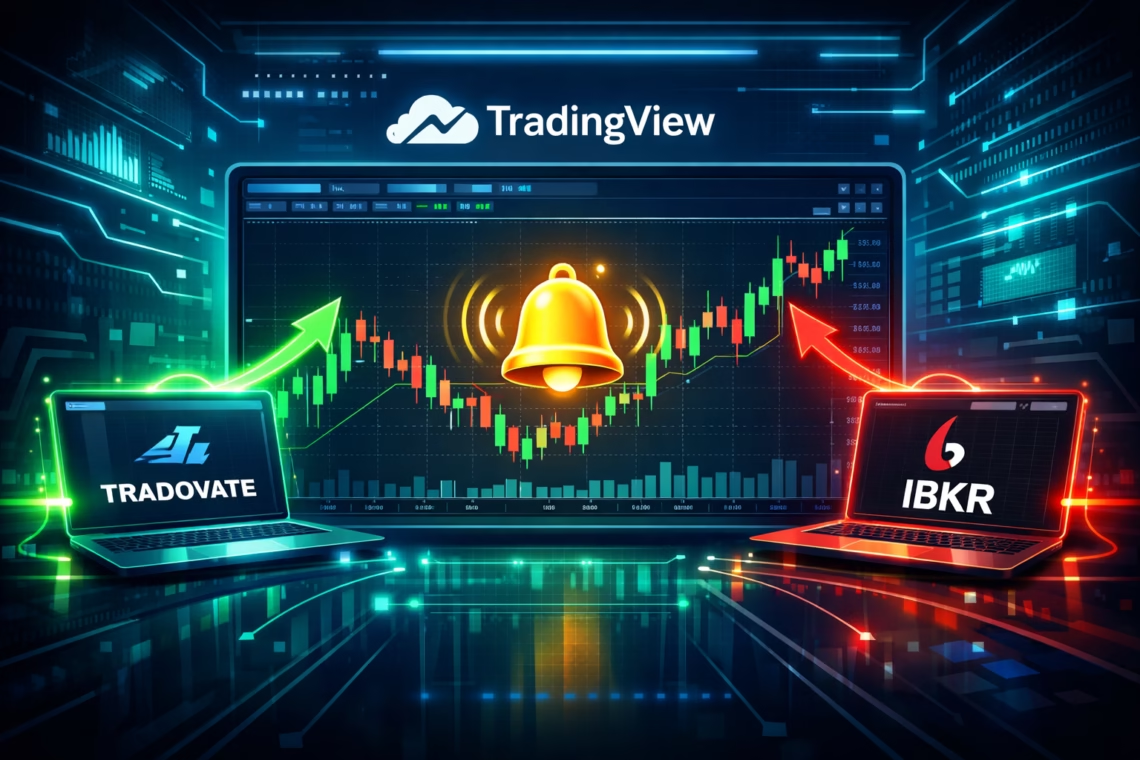
- Click the alert icon (bell).
- Define conditions.
- Enable webhook and paste URL.
- Customize JSON message with placeholders (e.g., {{ticker}}, {{close}}).
Test on demo accounts to avoid live errors.
Best Tools for TradingView Alerts Automation in 2026
Several platforms bridge TradingView alerts to brokers for true automation:
- PickMyTrade — A standout no-code solution for futures and stocks. It connects TradingView to brokers like Tradovate, Rithmic, Interactive Brokers (IBKR), TradeStation, and more without API keys. Features include millisecond execution, dynamic TP/SL, multi-account support, and risk management. With over 3 million executions in 2025 and a 5-day free trial, PickMyTrade excels in prop firm compatibility and unlimited trades for ~$50/mo. Ideal for scalpers and day traders automating indicators or strategies.
- PineConnector — Great for MT4/MT5 brokers; fast, reliable bridge with risk tools.
- TradersPost — Supports crypto and futures on exchanges like Binance, Bybit.
- Alertatron — Advanced sequences, multi-exchange, trailing orders.
- OctoBot — Open-source for crypto, email/webhook support.
- Capitalise.ai — No-code strategy triggering.
PickMyTrade stands out for seamless Tradovate integration and user-friendly setup—perfect for TradingView alerts automation in futures markets.
Step-by-Step Guide to TradingView Alerts Automation with PickMyTrade
- Sign up at PickMyTrade (free trial, no card needed). Click Here to Signup
- Connect your broker (e.g., Tradovate demo for testing).
- Select strategy type (indicator, strategy, or manual).
- Generate webhook URL and JSON alert message in PickMyTrade.
- In TradingView: Create alert > Webhook > Paste URL > Insert JSON > Set open-ended expiration.
- Test trigger; monitor logs for <500ms execution.
- Go live with risk controls (position sizing, daily limits).
This setup automates entries/exits with precision, supporting dynamic orders and multi-account routing.
Benefits and Best Practices
- Speed & Consistency — Millisecond execution beats manual trading.
- Risk Management — Built-in SL/TP, trailing stops, and limits.
- Scalability — Run multiple strategies across assets.
- Emotional Edge — No FOMO or hesitation.
Tips:
- Use Premium for unlimited alerts.
- Avoid sensitive data in payloads.
- Backtest strategies thoroughly.
- Monitor for repaints or glitches.
- Combine with VPS for 24/7 uptime.
Most Asked FAQs
Pro+ or Premium for webhooks; free/Pro limited to basic notifications.
Yes—with 2FA mandatory for webhooks and trusted bridges like PickMyTrade.
Absolutely—tools like PickMyTrade generate JSON for you.
Milliseconds via services like PickMyTrade; depends on broker and network.
Yes—supports multiple brokers/exchanges (e.g., Tradovate for futures, IBKR for stocks).
Disclaimer:
This content is for informational purposes only and does not constitute financial, investment, or trading advice. Trading and investing in financial markets involve risk, and it is possible to lose some or all of your capital. Always perform your own research and consult with a licensed financial advisor before making any trading decisions. The mention of any proprietary trading firms, brokers, does not constitute an endorsement or partnership. Ensure you understand all terms, conditions, and compliance requirements of the firms and platforms you use.
Also Checkout: Automated Futures Trading System Made Simple