In the fast-paced world of automated trading, order queueing plays a crucial role in ensuring your strategies execute smoothly, even outside market hours. This guide dives deep into order queueing, explaining how it enhances trade automation with platforms like PickMyTrade. Whether you’re an algo trader building complex systems or a retail trader automating simple alerts, understanding order queueing can prevent missed opportunities and reduce rejections.
What Is Order Queueing in Automated Trading?
Order queueing refers to the process where trading platforms hold pending orders that can’t be executed immediately—typically due to closed markets—and release them at the next available opportunity, such as market open. In automated trading setups, this feature acts as a safety net, preventing brokers from rejecting trades outright.
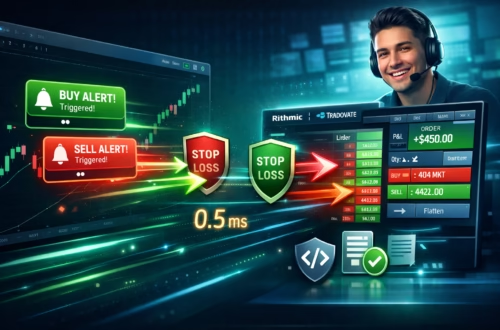
Unlike manual trading, where you might wait for markets to open, automated systems like PickMyTrade use order queueing to manage signals from tools like TradingView seamlessly. For instance, if a webhook alert triggers after hours, PickMyTrade queues the order instead of discarding it, ensuring execution when liquidity returns.
Recent developments in automated trading platforms emphasize improved queue management for lower latency. As of December 2025, platforms have integrated better queue handling to minimize delays, with some reporting processing times under 200 milliseconds during peak hours .
How Order Queueing Works with PickMyTrade
PickMyTrade excels in order queueing by integrating directly with TradingView alerts and brokers such as Tradovate, Rithmic, and Interactive Brokers. When a market is closed, incoming orders are queued per strategy and ticker, with only one active queue per combination to avoid conflicts.
Step-by-Step: Connecting TradingView Alerts to PickMyTrade
To leverage order queueing, start by setting up your automation pipeline:
- Sign Up and Connect Your Broker: Create a PickMyTrade account and link it to your broker (e.g., Tradovate for futures or Interactive Brokers for stocks). Use a demo account for testing.
- Generate Webhook in PickMyTrade: Navigate to the alerts section, select your broker account, and generate the alert code.
- Configure Alert in TradingView: Create a new alert, paste the webhook URL (https://api.pickmytrade.trade/v2/add-trade-data) and the generated JSON code into the message box.
- Test and Activate: Trigger a test alert on a 1-minute chart to verify queueing behavior during off-hours.
Click Here to get a 5 Day Free Trial
This setup ensures order queueing handles any timing issues automatically.
Benefits of Order Queueing in Automated Trading
Order queueing transforms how algo traders and retail traders operate by bridging gaps in market availability.
Key Advantages
- Reliability: Prevents rejections, ensuring strategies run 24/7.
- Efficiency: Automates handling of off-hour signals, saving time.
- Scalability: Supports multiple strategies without manual intervention.
However, limitations include potential replacement of older queues and delays in high-volatility opens.
Real-World Use Cases for Order Queueing
Order queueing shines in scenarios where timing is critical but markets aren’t always open.
- Overnight News Trading: A retail trader sets alerts for forex pairs; queues handle weekend closures.
- Algo Backtesting Integration: An algo trader queues simulated trades for live execution at open.
- Futures Rollovers: Queue orders during contract expirations on platforms like Tradovate.
Common Mistakes and Fixes in Order Queueing Setup
Avoid these pitfalls to maximize effectiveness:
- Mistake: Ignoring Queue Limits – Fix: Monitor per-strategy queues to prevent unintended replacements.
- Mistake: Incorrect Webhook Formatting – Fix: Double-check JSON for syntax errors.
- Mistake: Not Testing Off-Hours – Fix: Simulate closed markets with demo accounts.
Common Setup Pitfalls
- Overloading queues with duplicate alerts, leading to replacements
- Forgetting broker-specific mappings (e.g., symbol formats in Rithmic vs. Interactive Brokers).
- Neglecting time zone settings, causing misqueued orders.
Advanced Tips
- Integrate risk management in payloads to auto-cancel queued orders if conditions change.
- Use PickMyTrade’s logs for real-time queue monitoring and analytics.
- Combine with low-latency brokers like Tradovate for sub-second executions post-queue.
Most-Asked FAQs
Order queueing holds trades when markets are closed and sends them at open to avoid rejections. It’s key for automated trading platforms like PickMyTrade.
Yes, it works with Tradovate, Rithmic, Interactive Brokers, and more, but check broker-specific rules for compatibility.
Typically one per strategy and ticker; newer ones replace older queues to prevent conflicts.
PickMyTrade logs the issue; common fixes include checking symbol mappings or broker connectivity.
Disclaimer:
This content is for informational purposes only and does not constitute financial, investment, or trading advice. Trading and investing in financial markets involve risk, and it is possible to lose some or all of your capital. Always perform your own research and consult with a licensed financial advisor before making any trading decisions. The mention of any proprietary trading firms, brokers, does not constitute an endorsement or partnership. Ensure you understand all terms, conditions, and compliance requirements of the firms and platforms you use.
Also Checkout: TradeStation vs NinjaTrader for Futures: 2025 Comparison & Setup