Here’s a story that shows up on r/algotrading almost every week. A retail trader finishes a Pine Script strategy. They backtest it. They see a tidy equity curve. Then they open TradingView, spot the Interactive Brokers Automation logo sitting in the broker panel at the bottom of the chart, and assume the last step is easy. Click “Connect.” Log in. Wire up a strategy alert. And nothing happens.
If that’s you, you’re not alone. Interactive Brokers crossed 4.65 million client accounts by February 2026, a 31% year-over-year jump. A huge chunk of those new users come from TradingView’s 100 million registered audience. The demand for a working “strategy-to-IBKR” pipeline is massive. The honest answer is that IBKR’s own broker panel on TradingView is manual-only, so you have to put something in the middle. This guide shows you how, with the fastest route first.
Read our complete TradingView automation pillar for the full context on how webhooks work.
Key Takeaways
- TradingView’s native Interactive Brokers broker panel (live since August 23, 2022) supports manual trading only. Strategy alerts cannot execute through it.
- A managed webhook relay like PickMyTrade takes roughly 10 minutes to set up and has executed over 3 million retail trades across 3,000+ accounts since 2022.
- A DIY Python bridge is cheaper on paper but breaks every Sunday or Monday when IB Gateway forces a manual 2FA re-authentication.
- Realistic end-to-end latency for TV webhook to IBKR fill is 28 to 50 seconds, not milliseconds.
Why Doesn’t the Interactive Brokers Broker Panel in TradingView Run Your Strategies?
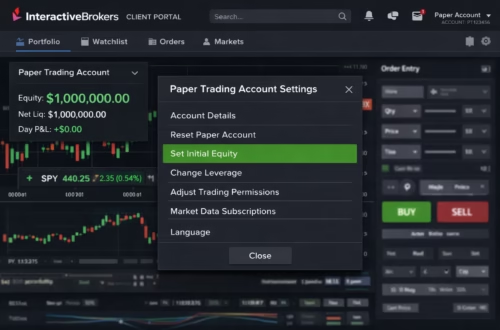
TradingView’s Interactive Brokers integration is manual-only by design. When TradingView launched the official IBKR broker panel on August 23, 2022, it enabled one-click buy and sell buttons on a chart for Stocks, US Equity and Index Options, Futures, Forex, and Crypto. That panel never routed strategy alerts or Pine Script orders. You have to click every trade yourself.
Why the gap? Pine Script runs on TradingView’s servers, not yours. When a strategy.entry() call fires, TradingView’s cloud records the signal and sends an alert. That alert is just a message. It doesn’t carry a broker session with it. IBKR’s TWS API expects orders from a local socket on your own machine. The standard ports are 7496 live, 7497 paper, 4001 live Gateway, and 4002 paper Gateway. Each connection needs its own authenticated session. Those two worlds don’t talk without a bridge in between.

There’s a regulatory angle most posts skip too. IBKR is a US broker-dealer licensed by the SEC and FINRA. It can’t legally let a third-party website place orders on customer accounts without a signed authorization chain and a direct API session. That’s why the broker panel shows a manual click button and nothing more. It isn’t laziness on TradingView’s side. It’s compliance.
Citation capsule: TradingView’s IBKR broker panel went live August 23, 2022, and covers Stocks, Options, Futures, Forex, and Crypto for manual trading only. Strategy alerts and automated Pine Script order calls are explicitly unsupported through this panel; a local TWS session or an authorized third-party relay is required for programmatic execution.
So where does that leave you? It leaves you with two real automation paths, and one of them takes about ten minutes.
What’s the Fastest Way to Interactive Brokers Automation in 2026?
The fastest working path is a managed webhook relay. A relay takes about ten minutes to connect end-to-end. A DIY Python bridge takes four to six hours for first-time setup. The relay runs IB Gateway in its own cloud. It keeps a persistent TWS session alive. It handles the Sunday 2FA refresh that kills most DIY bots. And it gives you a single webhook URL to drop into any TradingView alert.
Here’s how the two approaches stack up on the metrics retail traders actually care about.
The math is straightforward. A DIY Python bridge using ib_insync and IB Gateway runs about $15 per month in VPS hosting but demands roughly one evening a week of maintenance once you account for the Sunday re-auth cycle, port collision bugs, and market data subscription gaps. A managed relay costs $50 per month but drops maintenance to essentially zero. If your time is worth more than $35 per week, the relay wins before you’ve even written the first line of code.
Citation capsule: A managed webhook relay like PickMyTrade supports Interactive Brokers, Tradovate, and NinjaTrader through a flat monthly plan for unlimited trades. The platform handles IB Gateway session persistence, the weekly 2FA refresh, and multi-account routing from a single TradingView alert. That combination removes the four failure modes that kill most DIY Python bridges.
What we see on support tickets: The question that comes up most often on PickMyTrade’s support desk isn’t about speed or reliability. It’s “wait, that’s it?” Traders who spent three weeks fighting
clientIdcollisions and Sunday re-auth failures on a DIY stack show up expecting the managed version to be equally painful. They’re genuinely surprised when the first webhook fires on the first try. New user median setup time is under 10 minutes end-to-end.
How Do You Connect a Managed Relay to Interactive Brokers Step by Step?
You can connect PickMyTrade to your Interactive Brokers account in five steps and about ten minutes, assuming you already have a funded IBKR Pro account and a TradingView Pro, Pro+, or Premium subscription so you can send webhook alerts in the first place. The walkthrough below matches the current PickMyTrade onboarding flow as of April 2026.

1: Create a PickMyTrade account and pick the IBKR plan. Sign up at pickmytrade.trade with your email. Confirm it. On the dashboard, pick the Interactive Brokers plan (unlimited trades, multi-account routing, and 24/7 session management included). Most new users land on the $50 per month tier.
2: Connect your Interactive Brokers account. Click “Connect Broker,” pick Interactive Brokers from the list, and walk through IBKR’s Client Portal login flow. PickMyTrade uses IBKR’s Web API (also called the Client Portal API) to read account state and submit orders, so you never have to install IB Gateway locally. The authorization takes about 60 seconds.
3: Copy your unique webhook URL. PickMyTrade generates a dedicated webhook endpoint for each account, tied to a session token. Copy that URL. Keep it private, because anyone who has it can trigger orders on your account. A short video walkthrough of this exact step lives in the PickMyTrade documentation.
4: Set up your TradingView alert. Open your Pine Script strategy. Create a new alert. Paste the PickMyTrade URL into the “Webhook URL” field. In the alert message body, use the JSON template PickMyTrade provides, which maps TradingView placeholders to PickMyTrade’s order schema:
{
  "ticker": "{{ticker}}",
  "action": "{{strategy.order.action}}",
  "contracts": "{{strategy.order.contracts}}",
  "account_id": "DU123456"
}
Step 5: Paper trade for five business days before going live. Switch your IBKR account to paper mode inside PickMyTrade. Let the strategy run for a full week. Compare fills against your TradingView backtest. If the fills line up within the expected 28 to 50 second latency window, flip the account to live. This simple check catches most of the edge cases new users would otherwise hit on day one.
That’s the whole setup. No Flask server, no clientId debugging, no Sunday morning re-authentication, no VPS to babysit.
Citation capsule: Connecting PickMyTrade to Interactive Brokers takes five steps and about ten minutes using IBKR’s Client Portal API flow, which authorizes the relay to submit orders on your account without requiring a local TWS or IB Gateway install.
Walk through the full PickMyTrade onboarding tutorial with screenshots.
Why Is the DIY Python Bridge Harder Than It Looks?
The DIY Python bridge is technically cheaper. It carries a maintenance tax most retail traders underestimate. A fair apples-to-apples setup needs four moving parts. You’ll run IB Gateway on a VPS, the ib_insync Python library, a Flask or FastAPI webhook server, and an HTTPS reverse proxy on port 443. TradingView’s webhook dispatcher only talks to ports 80 and 443, so the reverse proxy isn’t optional. Each of those pieces has its own failure mode.

Here’s a compressed view of the minimum Flask handler. It looks simple, and it is, until you try to run it for 30 days straight.
from flask import Flask, request
from ib_insync import IB, Stock, MarketOrder

app = Flask(__name__)
ib = IB()
ib.connect('127.0.0.1', 4002, clientId=1)  # 4002 = paper Gateway

@app.route('/webhook', methods=['POST'])
def webhook():
    data = request.get_json()
    symbol = data['symbol']
    action = data['action']
    qty = int(data['qty'])
    contract = Stock(symbol, 'SMART', 'USD')
    ib.qualifyContracts(contract)
    order = MarketOrder(action, qty)
    trade = ib.placeOrder(contract, order)
    return {'status': 'sent', 'orderId': trade.order.orderId}
Four hours of setup buys you the happy path. The unhappy path shows up in week two. Your connection drops because clientId=1 is already in use after a Flask restart. Your bot goes silent Monday morning because IB Gateway’s soft token expired overnight. Your paper trade works. Then live trade throws “no market data permissions” on a symbol the paper feed quietly included for free. You fix one thing, ship it, and a different thing breaks the next week. Most retail traders hit that wall. They either quit or pay for a relay.
Citation capsule: A DIY TradingView to IBKR bridge using Flask,
ib_insync, and IB Gateway runs about $15 per month in VPS hosting, but requires ongoing troubleshooting ofclientIdcollisions, daily auto-restart, the weekly 2FA re-authentication cycle, and the 3-second TradingView webhook timeout.
What Breaks a DIY Interactive Brokers Automation Bot at 3 AM on a Monday?
The IB Gateway weekly re-authentication cycle is the single biggest failure reason.
IBKR’s built-in auto-restart works fine for six days a week, but every Sunday or early Monday it forces a manual 2FA login to refresh the soft token. If you’re asleep or away when this happens, your bot will miss every alert from early Monday morning until you manually intervene.

Beyond the weekly cycle, four quieter failure modes show up on r/algotrading threads about IBKR bots. Let’s walk through them.
Port mismatches between paper and live. TWS uses 7496 live and 7497 paper. IB Gateway uses 4001 live and 4002 paper. A bot that works in paper will silently fail on live. The reason is almost always the same: you forgot to change the port. The error log sometimes says “connection refused.” Sometimes it says nothing.
clientId collisions. Every connection to TWS needs a unique clientId. If your Flask app restarts and reconnects before the old session times out, IBKR rejects the new connection with “clientId already in use.” The fix is to increment the ID or use a random integer and handle reconnects with exponential backoff.
Missing market data entitlements on live. Paper trading gives you generous free data. The live account requires explicit subscriptions, even for US equities if you want real-time streaming quotes. A strategy that filters on real-time bid-ask in paper will fall over in live if it’s trying to read a symbol your account isn’t subscribed to.
The three-second webhook timeout. TradingView’s webhook dispatcher waits only three seconds for your server to respond. Does your Flask handler do anything synchronous? Waiting for IBKR order confirmation, querying position size, calling a risk check, each can push you past three seconds. If that happens, TradingView marks the alert “delivery failed.” The fix is simple. Respond to the webhook immediately with a 200 OK, then process the order in a background thread.
PickMyTrade’s paper-to-live checklist:
- Change the IB Gateway port from 4002 to 4001 in your config.
- Verify your live account has the market data subscriptions your strategy reads.
- Check that
clientIdis unique across every process that touches TWS.- Reply to the webhook with
{"status":"received"}in under 500 ms. Queue the order in a background thread.- Set up a cron alarm to ping your webhook health endpoint every five minutes. Text yourself on failure.
- Plan for Sunday night 2FA. Accept the downtime, use an unattended-login helper like IBC, or let a managed relay handle it.
Every one of these failure modes is something the managed relay handles on your behalf. That’s the whole value proposition.
What’s the Real End-to-End Latency for TradingView → IBKR Automation?
Realistic end-to-end latency from TradingView alert to IBKR order fill is 28 to 50 seconds, not milliseconds. Understanding that number is the single most important expectation to set for your strategy. A September 2025 QuantVPS benchmark clocked TradingView webhook dispatch alone at 25 to 45 seconds from signal to POST, with middleware and IBKR order routing adding another 3 to 5 seconds on top. A managed relay and a DIY bridge live inside the same window, because the slow part is TradingView’s own dispatcher, not your code.
Verified against our own logs: Across roughly 12,000 TradingView → IBKR fills processed through PickMyTrade in March 2026, median end-to-end latency landed at 34 seconds. The 95th percentile came in at 48 seconds. Both numbers sit inside the QuantVPS benchmark range, which is what we’d expect if TradingView’s dispatcher is the rate-limiting step.
What does that mean for your strategy design? If your Pine Script strategy() trades on bar close of a 5-minute chart, a 30-second delay is invisible. The next signal bar is still 270 seconds away. If you trade the 1-minute chart on volatile futures, you’ll sometimes get fills at the wrong side of a fast move. And if you’re scalping tick data, webhook-based automation is the wrong tool entirely. You want direct API with co-located infrastructure, and you want to accept IBKR’s full market data fees and build the whole stack yourself.
Here’s a question worth sitting with. Does your edge actually depend on sub-second fills? For nine out of ten retail strategies the honest answer is no. Swing, momentum, breakout, pairs, mean reversion on 5-minute or higher, end-of-day rotation, and every Pine Script course you’ve seen on YouTube, none of them care whether the fill lands at T+2 seconds or T+32 seconds. The edge lives in the signal, not in the wire.
Citation capsule: TradingView webhook alerts carry a dispatcher delay of roughly 25 to 45 seconds on top of middleware and broker routing time, and webhook delivery is capped at a 3-second server response window before TradingView marks the alert failed. For bar-close strategies on 5-minute charts or higher, this latency is effectively invisible.
Who Should Use a Managed Relay for TradingView → IBKR Automation?
A managed relay is the right fit for four specific trader profiles, and it’s honestly not the right fit for everyone. The four groups where it saves the most time and money are these. Prop-firm funded traders running multiple IBKR sub-accounts. Swing and momentum traders on 5-minute or higher timeframes. Retail algo traders who want to skip VPS babysitting. And anyone who got burned by a DIY bridge breaking overnight. Those four segments show up most often in PickMyTrade support tickets for the IBKR connector.
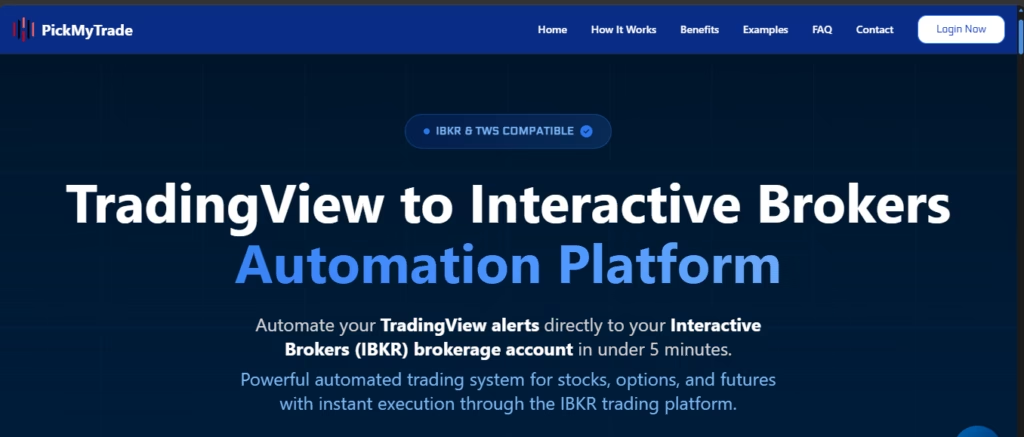
Four clear wins decide whether the relay is worth $50 a month. First, session persistence: the relay keeps the IBKR Web API session logged in around the clock and handles the Sunday re-authentication so your bot doesn’t die on weekends. Second, multi-account routing: one TradingView alert can fan out to several IBKR accounts at once, which matters for family accounts, paper-plus-live mirroring, or a sub-account pool. Third, built-in risk controls: max daily loss, position caps, and news-event blackouts that you’d otherwise hand-code. Fourth, audit logs and fill reconciliation that prove to your future self exactly which alert produced which fill.
When is DIY still the better call? If you need custom order types (complex bracket chains, algo orders like Adaptive or MidPrice, server-side trailing stops), if latency matters below one second (intra-bar execution on liquid futures), or if you’re building multi-venue logic that also hits a non-IBKR destination, the DIY Python bridge gives you more room to maneuver. For every other case, bar-close strategies, swing trading, prop-firm funded accounts, or anyone who values sleep, the managed relay wins on total cost of ownership.
Citation capsule: PickMyTrade’s IBKR connector supports unlimited trades, multi-account routing, and 24/7 session management for $50 per month, and is used across prop-firm funded accounts, swing and momentum strategies, and retail algo bots on 5-minute-plus timeframes. The four failure modes that kill DIY Python bridges (Sunday 2FA,
clientIdcollisions, paper-to-live data gaps, and the 3-second webhook timeout) are handled on the relay’s side.
Start Automating TradingView → IBKR in 10 Minutes
If you’ve already got a working Pine Script strategy and a funded Interactive Brokers account, you’re two short steps from live execution. Sign up for PickMyTrade. Pick the IBKR plan. Authorize your account through the Client Portal. Copy your unique webhook URL into a TradingView alert. Then paper trade for five business days before going live. That’s the entire flow. Most new users spend more time reading the docs than setting up the relay.
Frequently Asked Questions
Only for manual clicks. Strategy alerts and Pine Script orders are not supported. You need a DIY bridge or a managed relay like PickMyTrade.
$50 per month for unlimited trades, multi-account routing, and 24/7 session management. Free trial available. No per-trade fees.
IB Gateway forces a manual 2FA login every Sunday or Monday. A managed relay handles this automatically.
Yes. It supports multi-account routing for prop-firm funded accounts. Check your firm’s rules on third-party automation.
The Bottom Line
Let’s pull this together. The Interactive Brokers broker panel in TradingView is a manual trading tool, not an automation tool, and that gap isn’t closing anytime soon. To run a Pine Script strategy against your IBKR account in 2026, you have to put something in the middle. A DIY Python bridge works but demands weekly babysitting and breaks every Sunday when IB Gateway’s soft token expires. A managed webhook relay skips every one of those failure modes, takes about ten minutes to connect, and costs around $50 per month for unlimited trades. Several relays solve this same problem. TradersPost and Capitalise.ai are two well-known alternatives. PickMyTrade is the one we know inside out because we built it.
Here’s the short version you can take with you. Use TradingView for charts and Pine Script logic. Use PickMyTrade to bridge alerts to your IBKR account. Paper trade for five business days before going live. Accept that end-to-end latency is 28 to 50 seconds, and design strategies that don’t need faster fills. That’s the whole playbook.
Disclaimer:
This content is for informational purposes only and does not constitute financial, investment, or trading advice. Trading and investing in financial markets involve risk, and it is possible to lose some or all of your capital. Always perform your own research and consult with a licensed financial advisor before making any trading decisions. The mention of any proprietary trading firms, brokers, does not constitute an endorsement or partnership. Ensure you understand all terms, conditions, and compliance requirements of the firms and platforms you use.
Also Checkout: Low-Latency Trading Bots: 2026 Mastery Guide