TradingView automation mistakes remain a top reason traders lose money in 2026, even with advanced tools like Pine Script v6 and seamless webhook integrations. Many automated setups fail due to poor configuration, overconfidence in backtests, or skipping essential risk controls—issues amplified by recent TradingView updates like alert presets (introduced for faster reusable setups) and enhanced strategy logic in late 2025.
This guide covers the most common tradingview automation mistakes, backed by 2025-2026 trader data, community reports, and platform changes. Avoiding these pitfalls can help protect your capital and improve execution consistency.
Why TradingView Automation Mistakes Are Costly in 2026
TradingView dominates charting with Pine Script v6 offering dynamic requests, better non-repainting options, and improved order evaluation. Yet, automation relies on alerts + webhooks to external bots or brokers—any flaw here leads to missed trades, duplicates, or blowouts.
Recent updates include alert presets for consistent webhook payloads and faster polling via WebSocket upgrades. Still, up to 70-80% of new automations falter in live markets due to preventable errors.
Common TradingView Automation Mistakes and How to Avoid Them
Here are the top tradingview automation mistakes traders make in 2026, with practical fixes.
1. Overlooking Alert Configuration Errors
Many set default alerts without customizing frequency (“Once Per Bar” vs. “Every Tick”) or conditions. After script edits, old alerts run on outdated versions—causing mismatches.
Fix: Delete and recreate alerts post-changes. Use alert presets (new in recent updates) for reusable templates with correct webhook URLs and JSON formats. Test with TradingView’s alert log first.
2. Ignoring Repainting in Pine Script Strategies
Repainting indicators change historical values, misleading backtests. Common with improper request.security() calls or calc_on_every_tick enabled.
Fix: Use barstate.isconfirmed and non-repainting logic. Set calc_on_every_tick=false in strategy(). Recent v6 updates help with forward/backward time functions—leverage them for robust signals.
3. Skipping Thorough Testing and Overfitting
Traders go live after basic backtests, ignoring slippage, commissions, or out-of-sample data. Over-optimization fits historical noise, failing in live volatility.
Fix: Backtest conservatively, forward-test on paper trading, and stress-test scenarios (e.g., news events). Include transaction costs in simulations.
Click Here To Automate Tradingview Signals
4. Poor Risk Management in Automated Setups
No hard stops, trailing stops, or daily drawdown limits. Over-leveraging blows accounts fast, especially in futures.
Fix: Code strategy.exit() with stops/take-profits. Add position sizing based on account risk (e.g., 1-2% per trade). Use daily loss alerts to pause automation.
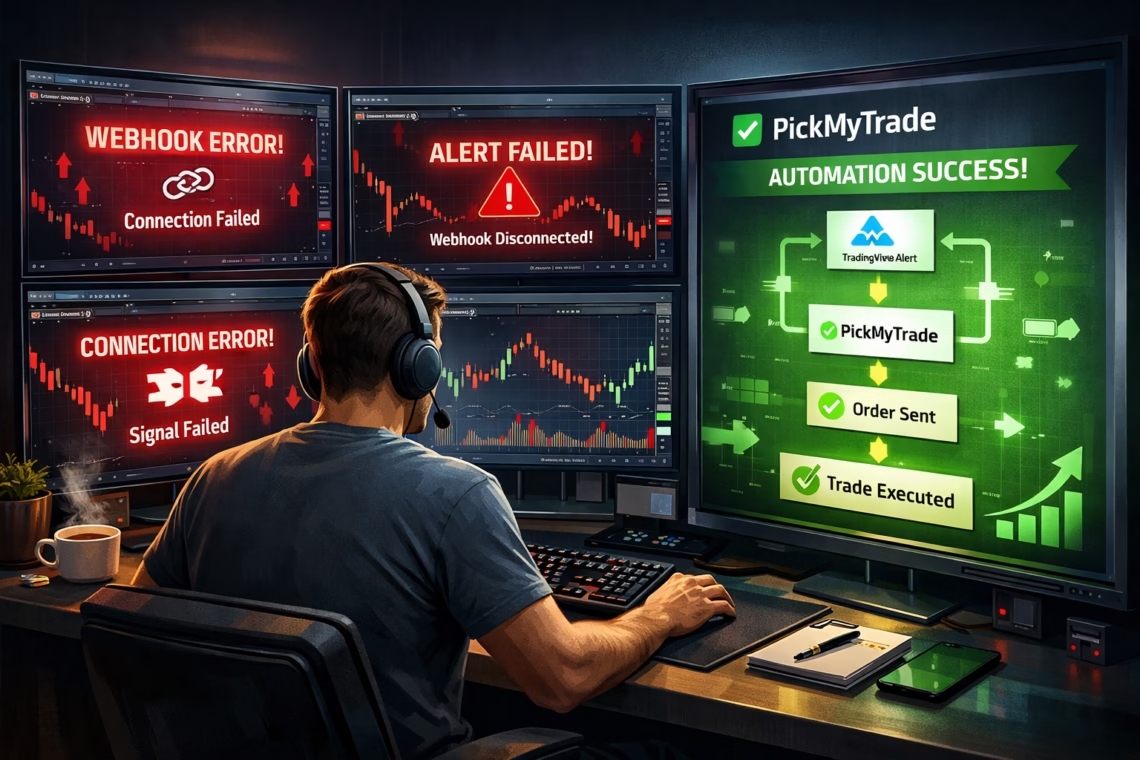
5. Webhook and Message Formatting Issues
Typos in webhook URLs, malformed JSON, or mismatched payloads prevent execution. Platforms expect specific formats—defaults often fail.
Fix: Validate JSON (use placeholders like {{strategy.order.alert_message}}). Test with tools like webhook.site. Double-check broker symbol conventions and timezones.
6. Blind Trust Without Monitoring
“Set it and forget it” leads to undetected issues like data delays or broker mismatches.
Fix: Monitor executions, log errors, and review performance weekly. Use multi-broker support for redundancy.
Recommended Tool: PickMyTrade for Futures Trading Automation on US Markets
For futures traders on US markets (e.g., ES, NQ, YM via Tradovate, Rithmic, or Interactive Brokers), PickMyTrade simplifies TradingView automation. It connects alerts directly to brokers with no-code setup—generate webhook/JSON in the dashboard, paste into alerts, and automate 24/7 execution.
PickMyTrade excels in futures with risk tools, multi-account support, and low-latency connections. It’s ideal for avoiding common pitfalls like manual errors or inconsistent sizing—perfect for US index/commodity futures in 2026’s volatile environment.
Sign up, link your broker, and integrate strategies seamlessly.
Final Thoughts on Avoiding TradingView Automation Mistakes
Mastering automation requires discipline: code carefully, test rigorously, manage risk, and monitor actively. With 2026’s updates, TradingView offers powerful tools—pair them wisely to turn signals into consistent profits.
By dodging these tradingview automation mistakes, you’ll build resilient systems that withstand real markets.
Most Asked FAQs on TradingView Automation Mistakes
Over-leveraging, poor alert setup, repainting scripts, overfitting backtests, and ignoring webhooks formatting top the list—often leading to missed or erroneous trades.
Use barstate.isconfirmed, avoid calc_on_every_tick=true, and proper request.security(). Test on realtime data to confirm non-repainting behavior.
Common causes: wrong webhook URL, invalid JSON message, or broker mismatches. Verify payload and test connections.
Yes—its no-code webhook setup, built-in risk controls, and US futures broker integrations (Tradovate, Rithmic) reduce setup errors and improve reliability.
Disclaimer:
This content is for informational purposes only and does not constitute financial, investment, or trading advice. Trading and investing in financial markets involve risk, and it is possible to lose some or all of your capital. Always perform your own research and consult with a licensed financial advisor before making any trading decisions. The mention of any proprietary trading firms, brokers, does not constitute an endorsement or partnership. Ensure you understand all terms, conditions, and compliance requirements of the firms and platforms you use.
Also Checkout: 7 Best Tools for Forex Algo Traders in 2026