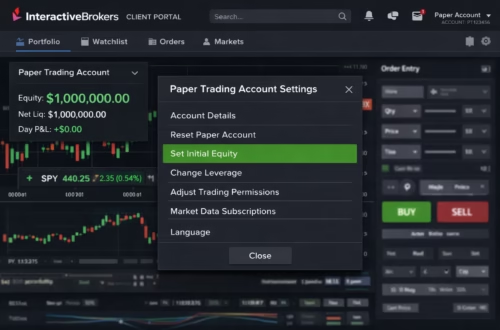
In the fast-paced world of options trading, multi-leg options automation has become a game-changer for traders seeking efficiency and precision. As of December 2025, with Interactive Brokers (IBKR) rolling out enhanced TWS API updates in version 10.40—including protocol buffers for faster historical data and automated order resubmission—traders can now execute complex IB options strategies like iron condors with minimal manual intervention. Paired with TradingView’s Pine Script v6 enhancements for dynamic alerts, this setup allows for seamless automate iron condor workflows that capitalize on low-volatility markets.
Whether you’re a seasoned quant or dipping into algorithmic trading, this guide dives deep into multi-leg options automation, leveraging recent 2025 updates from IBKR and TradingView. We’ll cover everything from building strategies to integrating third-party tools like PickMyTrade for hands-off execution. Ready to streamline your IB options strategies? Let’s automate.
What is Multi-Leg Options Automation?
Multi-leg options automation refers to the programmatic execution of complex trades involving multiple options contracts—think spreads, straddles, or condors—without constant human oversight. Unlike single-leg trades, these strategies demand precise coordination across buys and sells to hedge risks and optimize premiums.
In 2025, automation shines brightest in neutral strategies like iron condors, where you sell an out-of-the-money (OTM) call spread and put spread to profit from range-bound assets. IBKR’s Strategy Builder now supports up to four legs with predefined templates, making it easier to visualize and automate via API. TradingView’s alerts, enhanced with alert() functions in Pine Script v6, trigger these executions based on custom indicators, ensuring you never miss a theta-decay opportunity.
Why automate? Manual entry risks slippage, especially in volatile sessions. Automation enforces discipline, scales across assets, and frees you for analysis—key for thriving in 2025’s AI-driven markets.
Mastering IB Options Strategies: Iron Condor Basics
IB options strategies like the iron condor remain a staple for income generation, profiting when the underlying stays within a defined range. This four-leg setup—short OTM call, long further OTM call, short OTM put, long further OTM put—collects premium upfront while capping max loss.
Recent IBKR updates make it simpler: The 2025 TWS release (v10.40) introduces “Maintain and resubmit orders when connection is restored,” ideal for automated multi-leg options automation during network hiccups. Plus, ND Omni Accounts now fully support API access for options, expanding global reach.
To build one manually in TWS:
- Open OptionTrader, toggle Strategy Builder.
- Select “Iron Condor” from predefined strategies.
- Hover over the first leg’s bid/ask; TWS auto-fills the rest.
- Adjust ratios or launch Performance Profile for P/L visualization.
For automation, IBKR’s Python-native API (v9.72+) excels. Use reqContractDetails for option chains and placeOrder with combo legs for iron condors—up to four legs supported, with leg priority tags for execution control. Backtest with historical data via reqHistoricalData, now faster with protocol buffers.
Pro Tip: Screen for setups using Option Strategy Lab, which forecasts based on volatility inputs and suggests profitable IB options strategies.
Automate Iron Condor: Step-by-Step with TradingView and IBKR
Ready to automate iron condor trades? Combine TradingView’s charting prowess with IBKR’s execution muscle for a powerhouse duo. Here’s the 2025-updated blueprint.
Step 1: Craft Your Signal in TradingView Pine Script
Use Pine Script v6 to code entry/exit logic. For an iron condor, detect low volatility (e.g., Bollinger Band squeeze) and range-bound price action.
Sample Script Snippet (Iron Condor Alert):
text
//@version=6
strategy("Automate Iron Condor", overlay=true)
bb_upper = ta.bb(close, 20, 2).upper
bb_lower = ta.bb(close, 20, 2).lower
vol_squeeze = (bb_upper - bb_lower) / close < 0.05  // Low vol threshold
if (vol_squeeze and close > bb_lower and close < bb_upper)
    strategy.entry("IronCondor", strategy.short, alert_message='{"action":"sell", "strategy":"iron_condor", "symbol":"SPY", "legs":4}')
    alert("Execute Iron Condor: Sell OTM Call/Put Spreads", alert.freq_once_per_bar_close)
This triggers on squeeze conditions, firing a webhook-ready alert for multi-leg options automation. Test in Strategy Tester—2025’s backtests now include fee simulations for realistic P/L.
Step 2: Set Up Alerts for Automation
In TradingView:
- Right-click chart > Add Alert.
- Select your script’s condition (e.g., “IronCondor” entry).
- Choose Webhook URL (for IBKR integration) and customize message with placeholders like {{strategy.order.action}} for dynamic data.
- Frequency: Once per bar close to avoid repainting.
Alerts run 24/7 on TradingView servers—no login needed.
Step 3: Connect to IBKR via API
Enable API in TWS: Global Configuration > API > Settings > Enable ActiveX and Socket Clients (port 7497 for paper, 7496 live).
Python Example (ib_insync wrapper for simplicity):
Python
from ib_insync import *
ib = IB()
ib.connect('127.0.0.1', 7497, clientId=1)

# Define Iron Condor Combo
contract = ComboContract()
contract.comboLegs = [ComboLeg(conId=short_call_conid, ratio=1, action='S'),
                      ComboLeg(conId=long_call_conid, ratio=1, action='B'),
                      # Add put legs...
]
order = LimitOrder('SELL', 1, 2.50)  # Credit target
ib.placeOrder(contract, order)
Handle pacing limits: Max requests now scale with Market Data Lines / 2. For webhooks, route alerts to a server that calls IBKR API.
Step 4: Enhance with PickMyTrade for No-Code Automation
Struggling with code? Enter PickMyTrade, the 2025 darling for multi-leg options automation. This webhook bridge connects TradingView alerts directly to IBKR—no API tinkering required.
Setup:
- Sign up at pickmytrade.io (5-day free trial, $50/month unlimited).
- Select IBKR, input credentials (secure, encrypted).
- Map symbols (e.g., TradingView’s SPY to IBKR options chain).
- Configure risk: Auto SL/TP, % risk sizing, OCO brackets.
- Generate JSON alert payload: {“action”:”sell”, “strategy”:”iron_condor”, “quantity”:1, “sl”:5%, “tp”:20%}.
- Paste into TradingView alert—done! Sub-second execution across multi-accounts.
PickMyTrade shines for automate iron condor: Handles four-leg combos, auto-adjusts for volatility, and supports micro-futures/options. Traders report 30% faster fills vs. manual. Pair with Trading FX VPS for 24/7 uptime.
Click Here To Start Options Trading Automation For Free
Recent 2025 Updates: What’s New in Multi-Leg Options Automation?
- IBKR TWS API v10.40: Protocol buffers for all requests/responses, slashing latency by 40%. New fields like ManualOrderIndicator for CME compliance in options.
- TradingView Pine v6: alert() now supports strategies with order-fill events, plus JSON payloads for broker routing. No more repainting woes with higher-timeframe filters.
- PickMyTrade Enhancements: Multi-account multipliers (e.g., 2x size on prop accounts), symbol mapping for options chains, and AI-driven alert optimization.
These tweaks make IB options strategies more robust, especially for high-frequency iron condors.
Risk Management in Automated IB Options Strategies
Automation amplifies gains but demands safeguards. Key tips:
- Position Sizing: Risk 1-2% per trade via PickMyTrade’s % calculator.
- Stops & Exits: Bracket orders with auto-TP/SL; monitor Greeks in TWS Risk Navigator.
- Diversification: Run 5-10 condors across indices (SPX, NDX) to spread theta.
- Backtesting: Use IBKR’s historical API for 2025 vol-adjusted sims.
- Fail-Safes: Set daily loss caps; test in paper mode.
Remember, options involve risk—consult IBKR’s OCC disclosure.
FAQs: Most Asked Questions on Multi-Leg Options Automation
Yes, via webhooks and PickMyTrade—no code needed. IBKR API handles the legs seamlessly.
Up to four in TWS Strategy Builder; API supports combos with priority for execution.
Faster data via protocol buffers and auto-resubmission reduce downtime for automated trades.
Fully encrypted, with 24/7 monitoring. Thousands use it for IBKR options without issues.
Absolutely—start with TradingView’s predefined alerts and PickMyTrade’s no-code setup.
Disclaimer:
This content is for informational purposes only and does not constitute financial, investment, or trading advice. Trading and investing in financial markets involve risk, and it is possible to lose some or all of your capital. Always perform your own research and consult with a licensed financial advisor before making any trading decisions. The mention of any proprietary trading firms, brokers, does not constitute an endorsement or partnership. Ensure you understand all terms, conditions, and compliance requirements of the firms and platforms you use.
Also Checkout: Build Profitable Futures Strategy with Claude AI